Paste a supplier link.
Get products in your store.
ScrapeOra builds the connector for you, fixes it itself when a supplier site changes, and keeps prices and stock in sync on a schedule — no code, no spreadsheets, no Sunday-night data entry.
Free plan, no card needed. Works with Shopify, WooCommerce and BigCommerce.
The problem
Stocking a store shouldn't be a data-entry job
If your week includes retyping product titles into a spreadsheet, this section will feel familiar.
Every week, by hand
- Retyping product details from a supplier site, one tab at a time.
- Prices that changed last week and are still wrong in your store.
- Connector templates that break the moment a website changes.
- Product descriptions that read like a customs form.
With ScrapeOra
- Paste one link — a product or a whole category — and it's collected for you.
- A schedule re-checks the source and keeps your store in sync.
- Connectors that rebuild themselves when a supplier site changes its layout.
- Every listing written fresh in your brand voice. Never the price.
How it works
Three steps, then it runs itself
- 1
Paste a link
A product page or a whole category from a supplier catalog you are authorized to use.
- 2
Watch it import
Products stream in live: titles, prices, variants, SKUs, stock — each listing written in your voice.
- 3
Publish & forget
Send everything to your store, add your photos, then put it on a schedule. Prices and stock stay in sync on their own.
How we treat supplier data
Factual product data only, from sources you are authorized to use
ScrapeOra never publishes, exports, or keeps for reuse a supplier's photographs or descriptive text. It reads only factual product data — title, price, SKU, variants, stock — and writes an original listing from those facts. You supply your own images.
What it reads, and how
- Reads only publicly available, factual product data — prices, SKUs, stock, variants — from your suppliers' catalogs: sources you are authorized to use.
- Honours robots.txt and each site's terms; you confirm at sign-up that you will use it only where a supplier's terms allow.
- Never reads anything behind a login or a paywall, and never uses someone else's credentials.
- Never publishes third-party images or text — your listing is written fresh from the facts, and you add your own photos.
Software only
ScrapeOra is software only. We do not sell, ship, or fulfil any physical products, and we provide no third-party content — you subscribe to product data import and inventory sync tools, you import only from suppliers you are authorized to use, and what you list and sell in your store stays between you, your suppliers and your customers.
The rules every account agrees to are in our Acceptable Use Policy.
What you get
Built so you never think about the plumbing
The hard parts — building connectors, surviving website changes, avoiding duplicates — are the product's job, not yours.
One-click connector from a supplier link
Paste a product or listing link from a supplier you are authorized to use. ScrapeOra recognises the catalog, builds the connector, tests it, and hands you the results — no setup.
Self-healing connectors
When a supplier site changes its layout, the connector rebuilds itself against the new page and carries on. You find out it happened, not that it broke.
Runs on a schedule
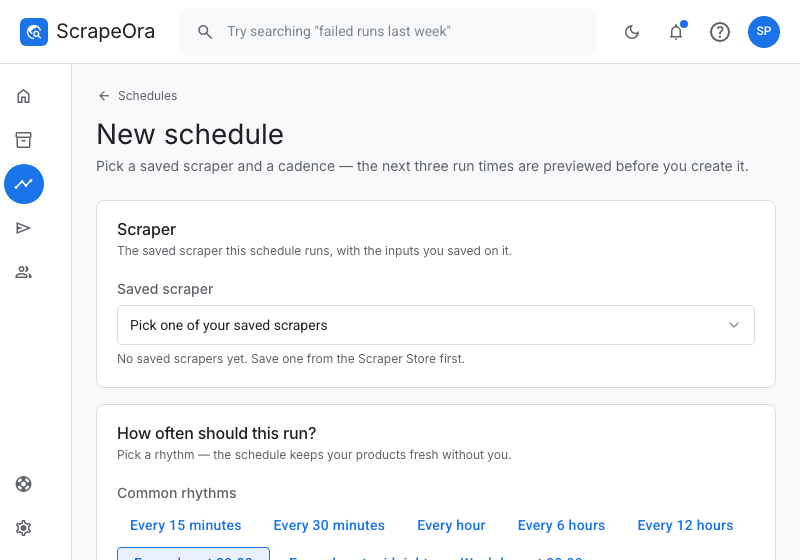
Every hour, every day at 9:00, every Monday — set it once and prices and stock stay fresh without you.
Listings written in your brand voice
Original titles and descriptions written from the collected product data, in your brand voice — included on paid plans, nothing to set up. Prices and codes are never invented, and a supplier's own text is never published.
Straight into your store
Shopify, WooCommerce, BigCommerce, Google Sheets — or your own system. Re-imports update, never duplicate.
History and comparison
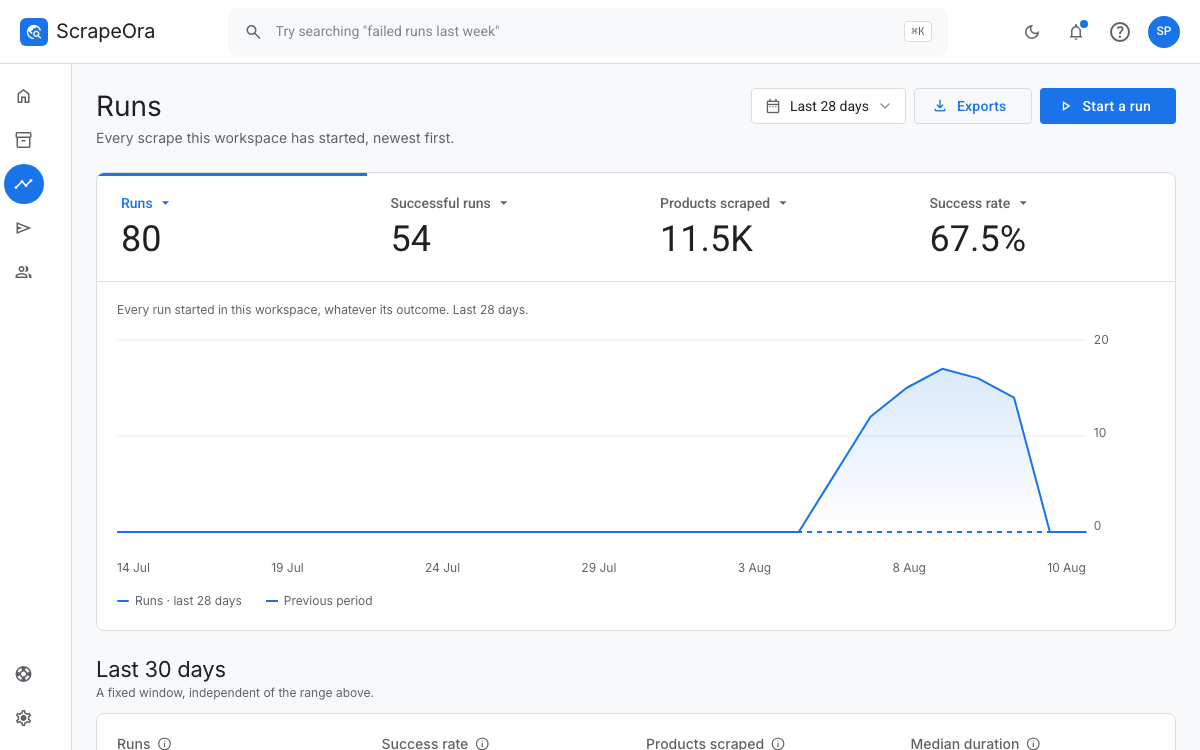
Every run is kept. Put two side by side and see exactly what changed — new products, removed ones, price moves.
The product
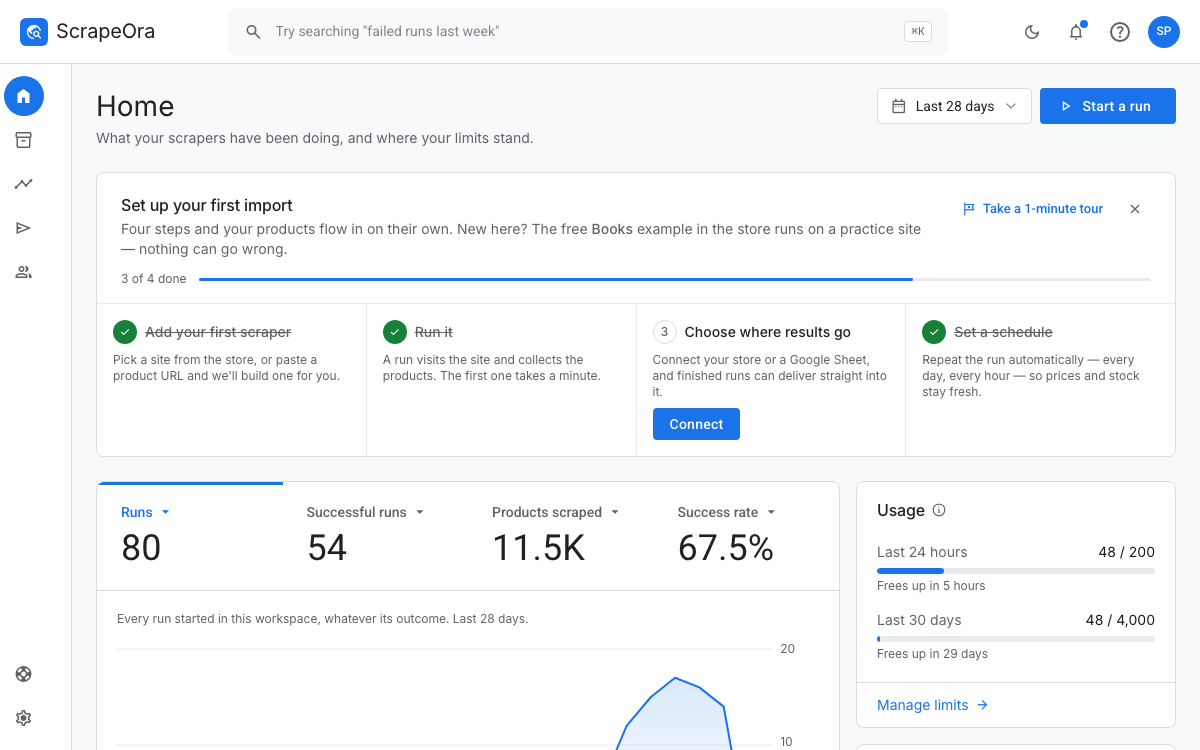
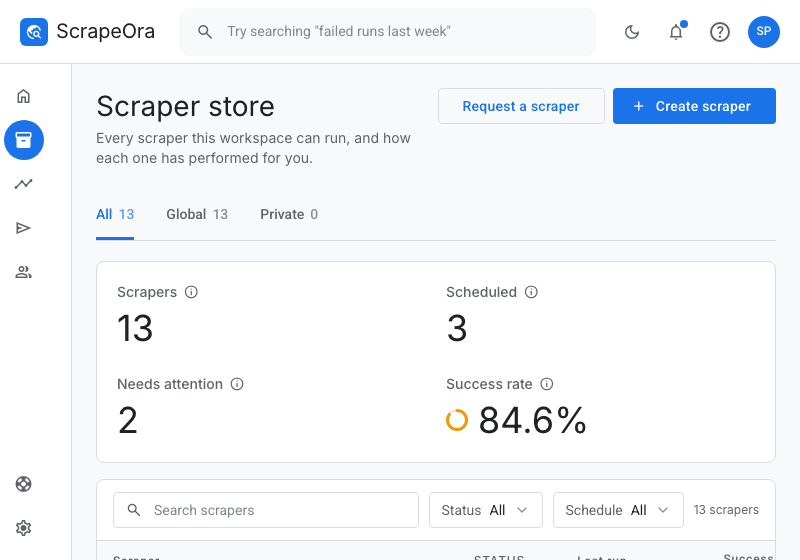
This is what you'll actually use
Real screenshots, not mockups — the console is deliberately calm, labelled in plain English, and explains itself as you go.
Who it's for
Made for the person running the store
Not for the person who would have written the connector.
Online stores that source from suppliers
You find a product in your supplier's catalog at lunch. Paste the link, let ScrapeOra write the listing in your voice, add your photos, and it's live in your Shopify store before you finish coffee — price-synced every six hours after that.
Stores with a wholesaler
Your wholesaler's catalogue is a website, not a spreadsheet. Import their whole category once, keep margins applied automatically, and stop retyping product data on Sunday nights.
Teams keeping a catalog in sync
Re-check your supplier's range on a schedule, compare runs to see what changed — new products, gone products, price moves — and export any of it as a spreadsheet.
Works with
Import from your suppliers' catalogs
Supported supplier connections for the sources you are authorized to use — wholesale catalogs, print-on-demand catalogs, supplier stores and directories. Paste a product or listing link from your supplier and ScrapeOra builds the connector.
- Wholesale supplier catalogs
- Print-on-demand catalogs
- Supplier stores on Shopify
- Supplier stores on WooCommerce
- Supplier directories
Pricing
Start free, pay when it earns its keep
Every plan is the same product. What changes is how many products you can keep in sync, how often, and how many stores you can push them to.
Free
$0/month
Free forever, no card
- 20 products a day
- 3 runs a day
- 1 run at once
- 1 schedule
- 1 connection per platform
- No team seats
- 1 Premium connector, one-time
- Export history
- Request a custom connector
Starter
$27/month
Billed monthly, renews automatically, cancel any time
- 300 products a day
- 20 runs a day
- 5 runs at once
- 10 schedules
- 5 connections per platform
- 5 seats
- 20 Premium connectors
- Export history
- Request a custom connector
Payments securely processed by Gumroad.
Pro
$97/month
Billed monthly, renews automatically, cancel any time
- 1,000 products a day
- 50 runs a day
- 10 runs at once
- 30 schedules
- 20 connections per platform
- 20 seats
- Unlimited premium connectors
- Export history
- Request a custom connector
Payments securely processed by Gumroad.
Enterprise
Let's talk
Volume pricing, invoiced
- Unlimited products
- Unlimited runs
- Unlimited concurrent runs
- Unlimited schedules
- Unlimited store connections
- Unlimited team seats
- Unlimited premium connectors
- Export history
- Request a custom connector
Subscriptions and prices
Each paid plan is sold as one auto-renewing subscription per billing term, charged the amount shown once every billing cycle.
| Subscription | Billing cycle | Price (USD) |
|---|---|---|
| ScrapeOra Starter · Monthly | Monthly | $27.00 |
| ScrapeOra Starter · Quarterly | Quarterly | $56.70 |
| ScrapeOra Starter · Every 6 months | Every 6 months | $89.10 |
| ScrapeOra Starter · Yearly | Yearly | $129.60 |
| ScrapeOra Pro · Monthly | Monthly | $97.00 |
| ScrapeOra Pro · Quarterly | Quarterly | $203.70 |
| ScrapeOra Pro · Every 6 months | Every 6 months | $320.10 |
| ScrapeOra Pro · Yearly | Yearly | $465.60 |
Prices in USD. Sales tax or VAT is added at checkout where your country requires it. Payments are processed by Gumroad as Merchant of Record. Full plan comparison
All paid plans are auto-renewing subscriptions. Quarterly, 6-month and yearly billing is charged in advance at the discount shown and renews at the same discounted rate for the same period. Cancel any time from Settings → Billing and keep access until the end of the period you’ve paid for — see the Terms of Service and the Refund & Cancellation Policy.
What counts as a “product”?
Each product collected in a run counts once against your daily allowance. Re-syncing the same product tomorrow counts again, because we visit the supplier again to fetch the current price and stock.
What happens when I hit my limit?
The run stops at the limit and tells you in plain words what it delivered. Nothing is deleted and nothing is lost — the allowance refills at midnight UTC.
Do I need a credit card to start?
No. The free plan needs only an email address and includes the full import-to-publish flow.
Trust
Boring about security, on purpose
Your credentials stay yours
Store credentials and OAuth tokens are encrypted with separate, independently rotated keys, and are never shown again once saved.
Your data does only what you ask
Collected product data is used only for the jobs you run — importing, syncing and, if you switch it on, writing your listings. We never sell it or share it.
Your data is portable
Export any run as CSV, JSON or XML, download everything we hold, or delete your account — all self-serve.
Real support
Tickets are answered by the people who build the product — typically within one business day, in your inbox and your email.
Questions
The things people ask before signing up
Do I need to know how to code?
No. You paste a link, ScrapeOra does the rest. There are no templates to configure, no selectors, no scripts — if you can paste a URL, you can use all of it.
What exactly is ScrapeOra?
Product data import and inventory sync software for e-commerce stores. You paste a link from a supplier catalog you are authorized to use — a single product or a whole listing, category, search, or collection page — and ScrapeOra reads the factual product data: title, price, variants, SKU, stock. On paid plans, ScrapeOra writes an original listing in your brand voice from that data. Publish it to Shopify, WooCommerce, or BigCommerce, then schedule it so prices and stock stay in sync, hands-free.
What does ScrapeOra take from a supplier page?
ScrapeOra never publishes, exports, or keeps for reuse a supplier's photographs or descriptive text. It reads only factual product data — title, price, SKU, variants, stock — and writes an original listing from those facts. You supply your own images. The full detail is in our Acceptable Use Policy.
Which suppliers can I import from?
Your own suppliers' catalogs — sources you are authorized to use. ScrapeOra ships with supported supplier connections for wholesale catalogs, print-on-demand catalogs, supplier stores on Shopify or WooCommerce, and supplier directories. For a supplier whose terms allow it, paste a product or listing link and ScrapeOra builds a connector for that catalog.
What happens if a website changes its layout?
Connectors heal themselves: when a supplier site changes and a run starts failing, ScrapeOra rebuilds the connector against the new layout and tries again. If something genuinely breaks, the run says so in plain words and support is one click away.
Can I import a whole listing, or just one product at a time?
Both. Paste a single product URL to import one item, or paste a category, search, collection, or listing page to bulk-import everything on it. The page type is detected automatically, and items stream in live as they're found.
Will re-importing a product create duplicates?
No. Every product is matched to a stable source key, so re-importing the same item updates the existing listing instead of creating a duplicate. That's what makes hands-free scheduled sync safe to leave running.
Do I need to set anything up to have my listings written?
No. Listing writing is included on paid plans and runs on ScrapeOra's own accounts — there are no keys to sign up for or paste in. You write plain instructions like “write in a premium voice” or “apply a 1.4× margin” and they're applied to every product. It writes from real collected data — prices and SKUs are never invented — and you preview a sample before committing.
How does ScrapeOra treat a supplier's website?
Like a careful visitor. It reads only the factual product data a page shows to every visitor, at a polite rate, honours robots.txt and the site's terms, never reads anything behind a login or paywall, and never uses someone else's credentials. A supplier's photos and descriptive text are never published — your listing is written fresh. The rules you agree to are in our Acceptable Use Policy.
Does ScrapeOra sell or ship products?
No. ScrapeOra is software only — a subscription to product data import and inventory sync tools. We do not sell, ship, or fulfil any physical products; what you list and sell in your store is between you, your suppliers and your customers.
Is my data safe?
Your store credentials are encrypted with separate, independently rotated keys, and encrypted values are never shown again. Optional two-step verification protects your account, and teams get role-based access. Your collected data is yours: export it or delete your account any time.
What if it breaks or I get stuck?
Every error in the product says what happened in plain words and what to do next, with a reference code support can look up instantly. You can open a support ticket from anywhere in the app — replies land in your inbox and your email.
Your next product import could be a paste, not an afternoon
Free plan, no card. If it doesn't save you time in the first hour, close the tab.